How to draw lines, shapes, and curves in Rayon
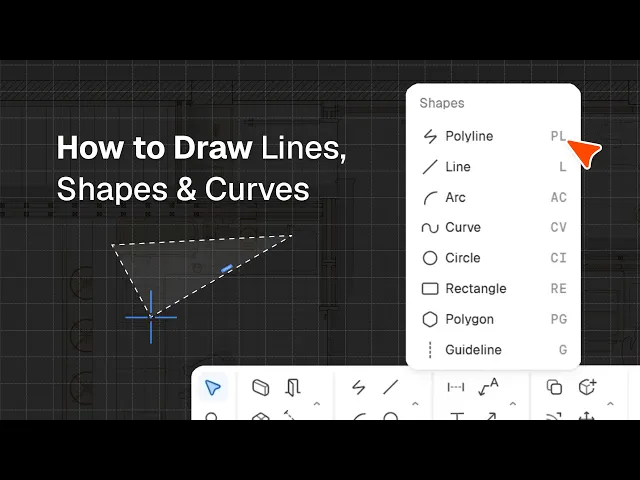
Rayon's shape tools in action: polyline, line, arc, curve, circle and rectangle, plus command modes, arguments, and active layer and style.
What you'll learn
Master Rayon's suite of shape and drawing tools to accurately construct polylines, lines, curves, circles, rectangles, polygons, and layout guidelines. This guide demonstrates how to toggle drawing modes, configure geometry arguments, and style shapes on your canvas.
Configure Modes Arguments and Properties
Review the active command bar at the top to toggle drawing modes like straight lines or arcs as you work. Type input values directly into the argument fields to set exact measurements such as distance, angle, radius, width, or height. Before placing any shape, navigate to the right panel to establish the active layer and adjust active style settings like stroke, fill, weight, and color.
Draw Continuous Segments with the Polyline Tool
Activate the polyline tool to produce a continuous series of connected segments across your drawing canvas. Switch between straight line and arc modes at any moment during the drafting process, or toggle loop mode to construct multiple consecutive shapes. Head to the right-hand panel to define your shape's visual appearance by setting the fill and stroke properties.
Create Individual Lines with Line Tool
Select the line tool to place a single straight segment whenever a continuous path is unnecessary. Specify precise distance and angle arguments directly to control the exact geometry of your line. Enable loop mode if you need to rapidly sketch multiple independent straight lines one after another.
Draw Curved Segments Using Arc Tool
Use the arc tool to draw a curved segment governed by fixed geometric parameters. Enter exact numeric values for the distance, angle, and radius arguments to make your curved geometry completely accurate. This structured approach ensures predictable arc curvature compared to freeform drawing methods.
Create and Modify Freeform Curves
Select the curve tool and place multiple points across the canvas to generate organic, freeform curvature shapes. Click the edit option to reveal the path's anchor points, then pull them to adjust the curvature as needed. Add or remove control points along the path to customize the geometry further, applying the same editing workflow to shapes like rectangles.
Draw Circles with Defined Radii
Activate the circle tool to establish circular geometry on your active layer. Select your desired center point directly on the canvas and define the radius argument to complete the shape. This tool offers a simple and direct method for generating symmetrical circular boundaries.
Construct Rectangles Using Inputs or Points
Deploy the rectangle tool and enter numeric values for width and height arguments to define exact boundary distances. Alternatively, switch modes to draw from three points to orient and set the rectangle at a specific angle. Select your initial two points and drag across the canvas to establish the shape dimensions you wish.
Generate Polygons Using Circular Boundaries
Choose the polygon tool to generate multi-sided shapes aligned to either the internal or external edge of a circle. Specify the count of edges along with the desired radius and angle parameters to dictate the form. This feature enables rapid creation of regular geometric figures with tailored corner points.
Place Guidelines for Alignment and Grids
Select the guideline tool to draw non-geometry reference lines horizontally, vertically, or at any custom angle. Use these reference markers to define layout grids across your floor plan and coordinate the positioning of surrounding geometries. Unlike standard shape tools, guidelines organize and align your drafting elements without appearing as finished drawing geometry.
Rayon basics
How to Use Canvases, Views, and Pages in Rayon
How to Use and Manage Layers in Rayon
How to Add Dimensions, Text, and Tags to Drawings in Rayon
How to Import DWG, PDF & Image Files
How to Draw Lines, Shapes, and Curves in Rayon
The Rayon BIM Toolkit: Walls, Openings & Zones
PDF Export vs Live Presentation
How to Style Your Drawings and Presentations in Rayon
How to Start & Manage Your Interior Design and Architecture Projects
How to Use Pages to Build & Share Presentations in Rayon
How to Share and Collaborate on Models in Rayon
How to Use, Create and Manage Blocks in Rayon
How to Use the Editing Tools in Rayon
Mentioned in this video

Shape tools
Drawing tools