
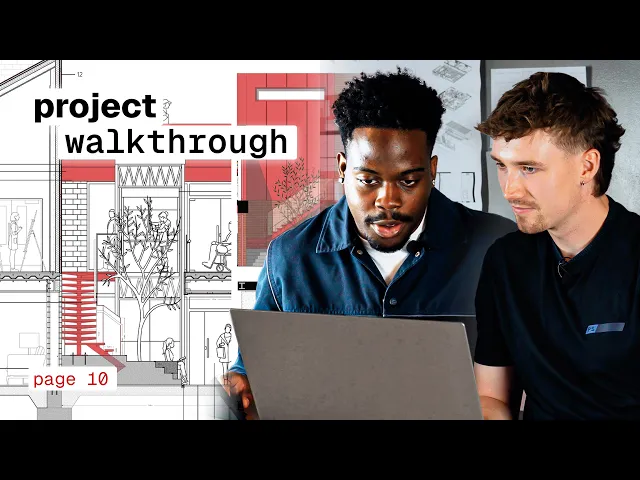
Architecture Student Project Walkthrough: How Efe Won a RIBA Drawing Prize
Efe Tabaner's RIBA Drawing Prize project: the concept, design development, drawing process and how Rayon helped produce the final submission.
What you'll learn
Learn how to develop an architectural project and award-winning presentation in Rayon by creating iterative elevations, layering technical drawings, populating spaces with assets, and preparing fabrication files. The workflow covers importing base models, detailing wall buildups, adding depth through shadows, and formatting drawings for laser cutting.
Draft Initial Elevations and Test Design Variations
Begin the architectural drafting process by constructing the original elevation of the existing structure. Develop multiple design ideas directly alongside one another to test different facade arrangements and visual treatments. This setup allows immediate presentation to reviewers and provides flexibility to apply feedback or revert to earlier concepts.
Duplicate Iterations to Document Design Process
Use copy and paste within the workspace to generate numerous versions of the proposed scheme. Maintaining sequential copies establishes a visual journal of the design evolution without losing earlier stages of work. This practice makes it straightforward to track how the project develops and explain progress during reviews.
Create Technical Drawings, Elevations, and Sections
Produce technical drawings that focus on the spatial connections between different functional areas and the central lightwell. Arrange side-by-side elevation and section views within the canvas to maintain context across different projections. This comprehensive presentation ensures the spatial clarity of multi-level proposals can be evaluated effectively.
Populate the Layout with Rayon Assets
Access the built-in asset library in Rayon to place people and contextual objects across the floor plans and sections. Inserting these figures brings lived-in personality and human scale into the architectural spaces. Populating the scheme effectively communicates how occupants navigate, occupy, and interact with each designated zone.
Stack Elements into Layers and Shadows
Organize the drawing components by stacking graphic elements into systematic layers and refining the assembly step by step. Position cast shadows on top of building components to provide depth, contrast, and three-dimensional definition. Work across sections to illustrate technical elements such as rainwater collection systems and roof junctions.
Insert and Adjust Custom Interior Furnishings
Bring interior assets like carpets from the library into the gallery floor plan to represent displayed textile pieces. Adjust and stretch the imported graphics to match specific wall locations and design proportions. This approach presents retail spaces as curated exhibition areas without overcrowding the drawing layout.
Import Base Geometry and Detail Wall Buildups
Import initial model drawings from SketchUp into Rayon to add detailed architectural information that 3D software lacks. Draw multi-layered wall buildups around the floor plan to show structural thickness and material assemblies. Add figures to these detailed drawings to communicate spatial depth alongside technical construction details.
Customize Site Analysis Maps with Color Fills
Bring external site mapping data from Digimap onto the canvas to carry out contextual site analysis. Apply custom color palettes and fills to clarify boundary lines, pedestrian flow, and urban relationships. Rayon allows quick visual modifications without software friction so analysis maps can match the overall project aesthetic.
Scale Drawing Components for Laser Cutting
Lay out physical model components directly in Rayon to produce precise fabrication templates. Place individual cut pieces onto the sheet and verify that all parts are correctly sized to scale. Export or send these scaled files directly to the laser cutter to construct the physical architectural model.
Related videos
From Client Email to Concept Mood Board: My Full Process in Rayon
A mood board is the first thing that tells a client you've understood them.

Why Most Interior Design Mood Boards Don't Work (and How to Fix That)
Mood boards are one of the most important parts of the interior design process.
How to Turn a Site Survey Sketch into a Floor Plan with AI
From a hand-drawn survey sketch to a concept floor plan.
Become a trainer
You use Rayon, and want to teach others?
Become a trainer for our academy, and get paid to share your passion!